
Progress Update #1
What's in the pipeline and coming soon!
Most evenings lately, after the kids are finally asleep and the animals are all tended to, I’ve been chipping away at the first few formalized blocks of the HiTechHomestead system. It’s not quite ready to share publicly yet but the pieces are starting to feel solid enough that I wanted to share a quick update on what’s coming together.
A simple sensor node
One of the first goals was to build a small, low-cost, reliable temperature and humidity node that anyone can put together. No special hardware, no soldering, and no complicated flashing steps. Something you can quickly assemble, drag-and-drop a firmware file, power up, set outside, and it goes to work. For this first demo device, I’ve tuned all of the radio settings to work for most reasonable deployments so that you don’t have to worry about that stuff right out of the gate.
I’ve had a few of these running around our 5-acre property for a while now, and the radio link has held up quite well. It’s probably the simplest useful sensor that you can build and is a great first project if you’ve never done anything like this before.
The main remaining issue to work through on the node side is battery life. Right now the nodes don’t go to sleep between updates, so the battery is only lasting about two weeks (sending updates every minute). Over the coming days I’ll be spending some time tuning this and trying to cut power consumption between sensor updates.
A simple gateway
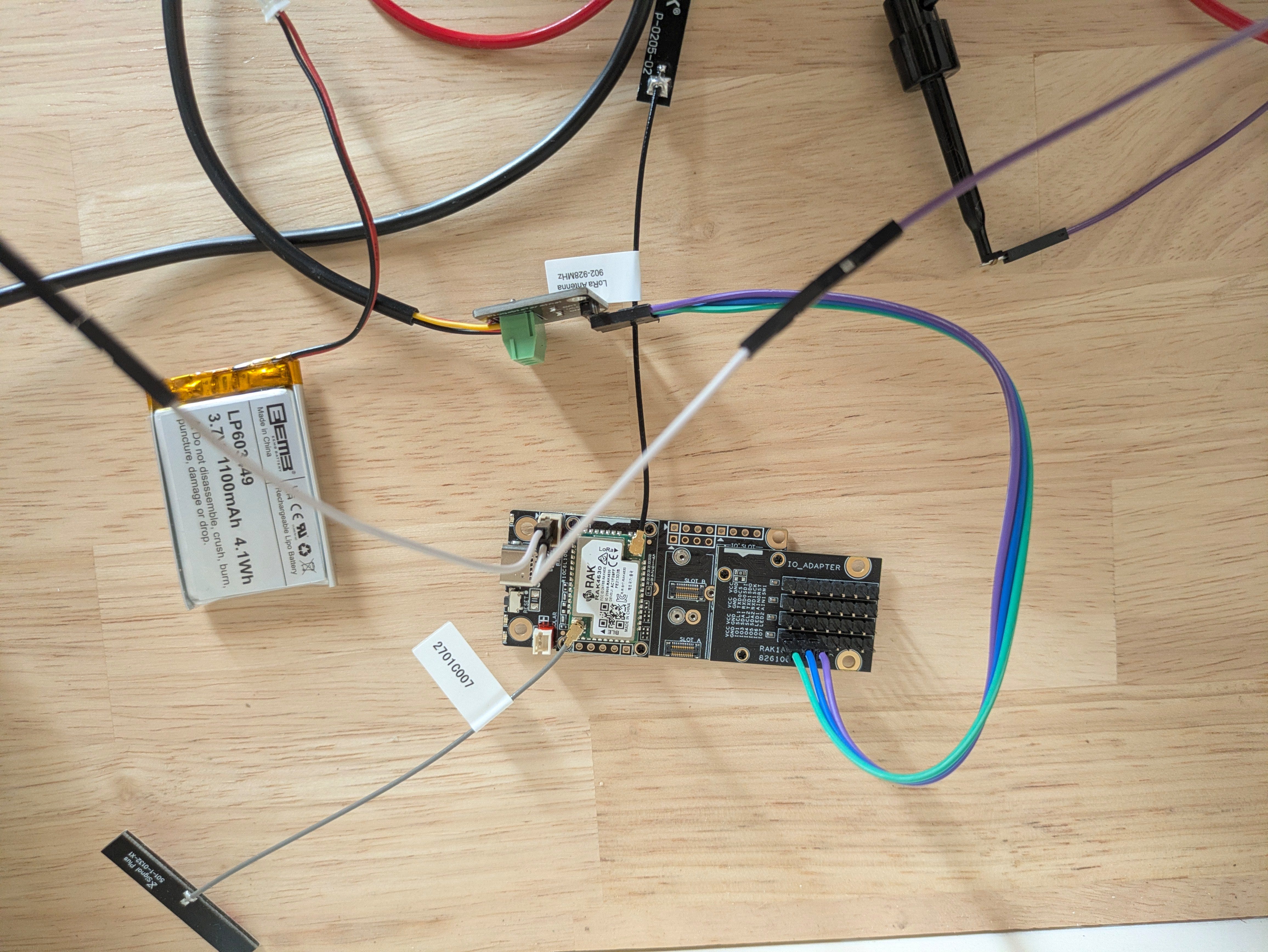
A gateway is the receiving end of the network that is listening for updates from the sensor nodes. I’ve been testing a lightweight gateway setup that is built from the same hardware base as the sensors. You assemble the gateway, plug it into your desktop computer using the USB cable, and launch the HTH Toolkit demo software to start listening for data coming from the sensor nodes.
On the gateway front, I need to improve the reliability of the initial startup. I have seen instances in my recent testing where a brand new gateway doesn’t always have initial radio settings that match the sensors (which means that you don’t see any data coming in at all). I need to track this down before I’m comfortable having other people try this out in the wild.
Early progress on the Toolkit
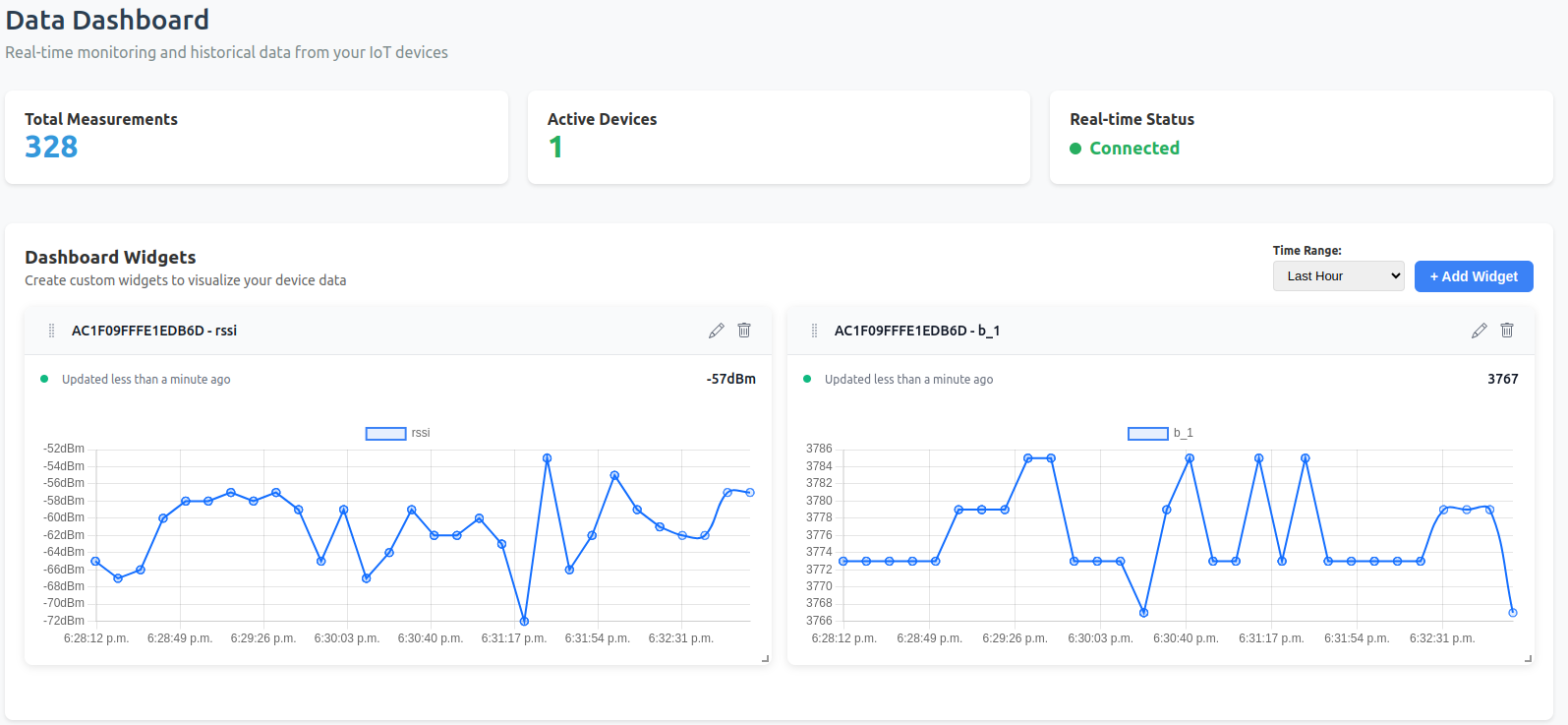
The demo version of the HTH Toolkit is starting to take shape too. For now I’m primarily focused on support for simple dashboards with time-series charts, live updates, and a reliable connection to the gateway. The toolkit supports building customizable dashboards using some simple widgets. Right now, it only has a “latest value” widget, and a “historical chart” widget. With these two, you can still build some pretty useful dashboards that give you a quick glimpse of all sensor data.
Detailed walkthrough guide
Alongside all this, I’ve been drafting a beginner-friendly walkthrough for assembling the first sensor and gateway, installing the HTH Toolkit, and getting everything talking. I’m aiming for something you can follow in a couple hours without needing a pile of tools or a background in electronics.
Slow but steady progress
There are still a few things I need to work through before anything goes out for people to try. But the core pieces are behaving well, and it’s been encouraging seeing the system take shape piece by piece.
I’ll have more to share in a week or two once these parts are a bit more stitched together. In the meantime, please consider subscribing!